Expert DStv Decoder Installation and Setup Services
Get reliable DStv decoder installation from experienced technicians who ensure perfect signal quality, complete decoder configuration, and lasting performance across Cape Town and the Western Cape.
Book Your Professional DStv Decoder Installation Today – Call 071 304 6955
Why Professional DStv Decoder Installation Matters
A DStv decoder is far more than a box you plug into your TV. It is a precision device that must communicate seamlessly with your satellite dish, Smart LNB, coaxial cable infrastructure, and subscription account to deliver the channels, features, and viewing experience you pay for every month. When any link in that chain fails—whether it is a loose F connector, incorrect dish alignment, or a misconfigured LNB—you end up staring at frustrating error codes instead of watching your favorite shows.
Professional DStv decoder installation eliminates those risks from the start. Here is why it matters:
- Optimal Signal Configuration: A professional DStv installer uses signal measurement tools to verify satellite signal strength and quality. Your dish must face northeast for optimal signal, aligned precisely to 36° east for DStv services. Even a small deviation in dish alignment causes most DStv signal loss issues, resulting in pixelation, dropouts, or the dreaded E48-32 “No Signal” error.
- Correct Smart LNB Setup: Modern DStv installations increasingly require a Smart LNB, especially for Explora and Explora Ultra decoders or Extra View multi-room configurations. Incorrect LNB type configuration can lead to installation problems, decoder communication failures, and missing channels. Professional installers ensure the right LNB is matched to your decoder and connected correctly.
- Error-Free Activation: From smartcard insertion to running the initial installation wizard that configures the decoder’s language settings and scans for channels, every step must be completed in the correct sequence. Smartcard issues can prevent channels from activating correctly after installation—something a professional technician identifies and resolves immediately.
- Reliable Equipment Handling: Decoders, Smart LNBs, and satellite dishes are sensitive electronic equipment. Improper handling during installation can damage connectors, bend cable pins, or crack circuit boards. Professional installers reduce the risk of equipment damage during the installation and setup process.
- Comprehensive System Testing: Before leaving your property, a qualified technician tests every feature—live channels, PVR recording, catch-up TV, streaming apps, and signal strength readings across multiple frequencies. This ensures all features work correctly from day one.
- Warranty Protection: Professional installation includes a 12-month warranty on supplied equipment. DStv only honors installation vouchers, warranties, and official service if the work is completed by DStv-accredited installers. Choosing a professional installer protects your investment and gives you recourse if something goes wrong.
- Future-Proofing: Expert troubleshooting during installation prevents costly service calls and future technical issues. A properly installed system withstands storms, temperature changes, and the corrosive coastal conditions common throughout the Western Cape.
Simply put, professional DStv decoder installation saves you time, money, and frustration—while delivering the best possible viewing experience from the moment your system goes live.
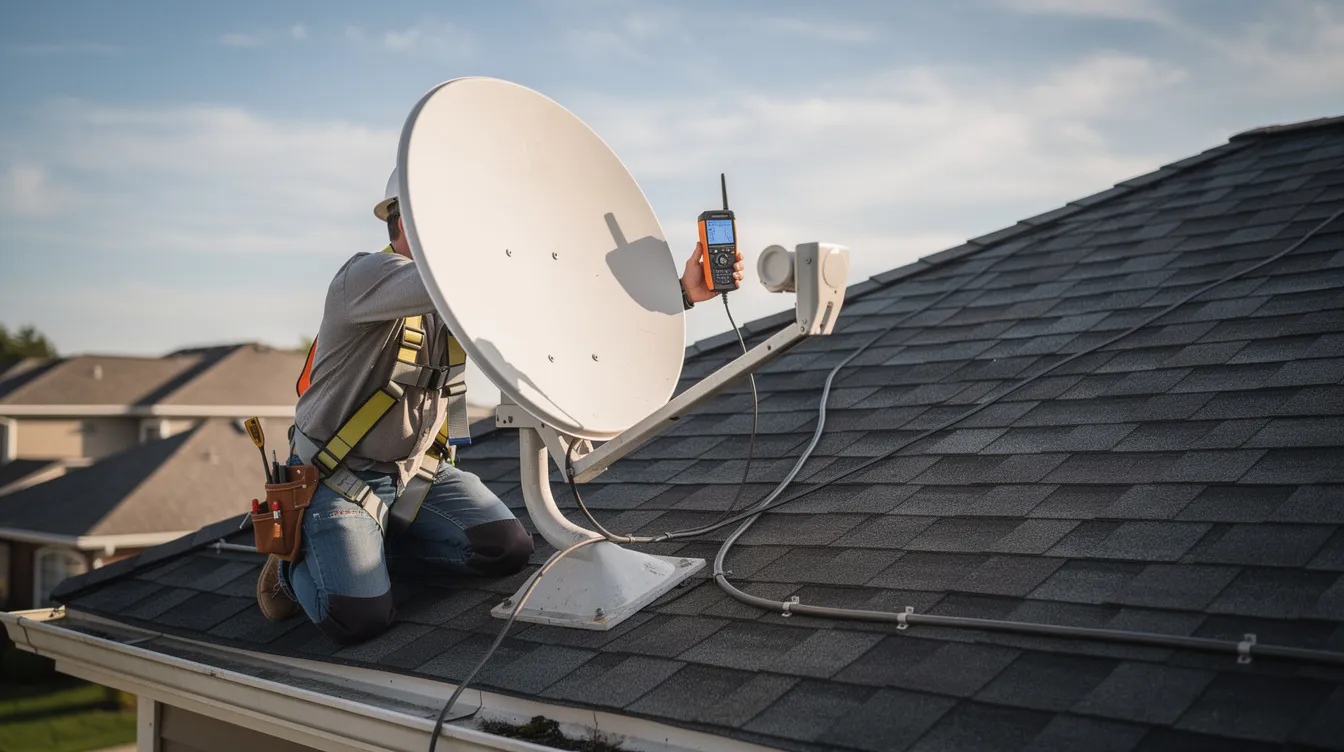
Our DStv Decoder Installation Services
At Sat Digital, we provide complete DStv decoder installation services tailored to every property type and viewing requirement across Cape Town and the Western Cape.
Residential Decoder Installation
We handle home decoder installations for houses, apartments, townhouses, and residential estates of all sizes. Whether you need a single DStv HD decoder in a studio apartment or a full Explora Ultra setup in an entertainment room, our technicians configure every component for reliable, long-term performance. We also work within body corporate guidelines for complexes and gated communities.
Commercial Decoder Installation
Businesses have unique DStv requirements. We provide hotel and guesthouse multi-room decoder installations, restaurant and sports bar commercial DStv setups, and office waiting area configurations. Commercial installations often involve multiple decoders, extended cable runs, and heavy-duty mounting solutions—all of which our team handles professionally.
Decoder Upgrade Services
Still using an older decoder with limited features? We specialize in old decoder replacement with the latest DStv Explora models and Explora Ultra units. Our system upgrades deliver improved performance, access to streaming features, recording capability, and compatibility with current Smart LNB technology. We assess your existing satellite dish and cabling to determine what can be reused, saving you money on the upgrade.
What Is a DStv Decoder?
A DStv decoder is a digital set-top box that receives an encrypted satellite signal from MultiChoice via your satellite dish and LNB, then decodes that signal into the TV channels and content included in your DStv subscription. Without a decoder, the raw satellite signal is unusable—your TV cannot interpret it on its own.
Modern DStv decoders do far more than simply decode signals. They function as complete entertainment hubs, offering:
- Channel Access: Hundreds of TV and radio channels across news, sport, movies, lifestyle, kids, and music categories, depending on your subscription package.
- TV Guide: DStv decoders come with an 8-day TV Guide feature, allowing you to browse upcoming programming and set recordings in advance.
- Recording and Time-Shifting: PVR-equipped decoders let you pause, rewind, and record live TV so you never miss a moment.
- Streaming Integration: The latest decoders connect to the internet for access to apps like Showmax, Netflix, and YouTube directly on your TV screen.
- Parental Control: All current decoders include parental control settings, letting parents restrict access to age-inappropriate content.
- Account Management: Through the MyDStv app, you can manage your subscription, make payment, activate channels, and troubleshoot basic issues without calling support.
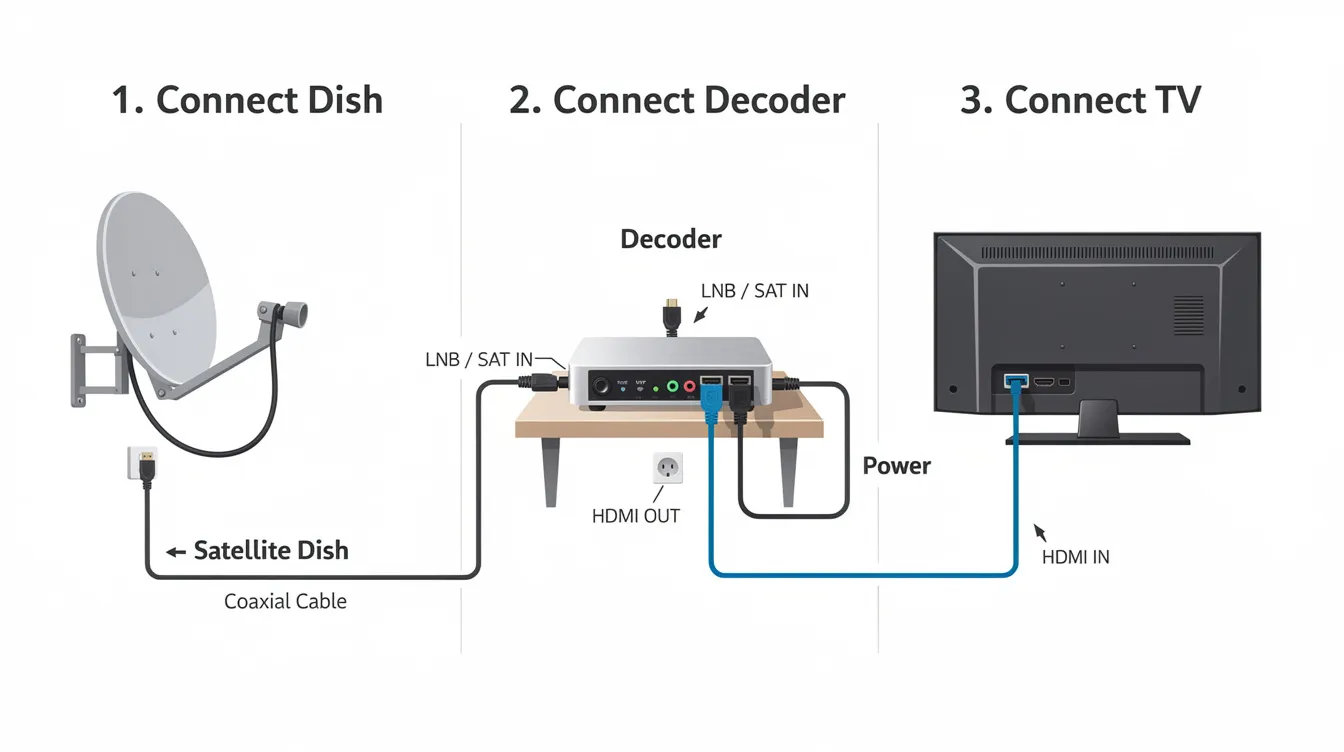
The decoder connects to your TV via an HDMI cable for high-definition output or through an RCA cable to the AV input on older television sets. It receives a satellite signal through a coaxial cable connected from the LNB on your dish to the decoder’s SAT IN port. A power cable connects the decoder to a power outlet, and a power supply unit keeps the system running.
Understanding what a decoder does helps you appreciate why correct installation is so important. Every connection point—from the dish to the LNB, through the cable, into the decoder, and out to your TV—must be properly configured for a seamless viewing experience.
Types of DStv Decoders We Install
Not all decoders are created equal. Choosing the right one depends on your viewing habits, budget, number of TVs, and whether you want recording or streaming features. Here are the top DStv decoder models we install across Cape Town and the Western Cape.
DStv HD Decoder
The DStv HD decoder is the entry-level option for viewers who want high-definition channels without the added complexity of recording or streaming. The DStv HD Decoder model 10S replaces the 9S model and represents the latest in single-view HD technology. The DStv HD Decoder 10S supports HD and Dolby Digital audio, delivering crisp picture and sound quality for everyday viewing.
Ideal for: Budget-conscious viewers, single TV setups, bedrooms, and secondary viewing rooms. Compatible with both Universal and Smart LNB configurations.
DStv Explora Decoder
The DStv Explora decoder is the premium choice for households that want more from their entertainment system. Available in variants including the Explora 2, Explora 3, and Explora 3A, the DStv Explora adds Personal Video Recorder (PVR) functionality—pause, rewind, and record live TV at the touch of a button. It also supports catch-up TV and internet connectivity for streaming.
The Explora is usually the primary decoder in multi-decoder Extra View setups, and it requires a Smart LNB for full functionality. Signal strength ideally needs to be above 70–80% for Explora models to deliver reliable recording and catch-up performance.
Ideal for: Families, entertainment enthusiasts, sports fans who want to record SuperSport matches, and multi-room households.
DStv Explora Ultra Decoder
The Explora Ultra is the most advanced decoder in the DStv lineup. The DStv Explora Ultra was launched in January 2021 and represents the next generation of satellite entertainment. The DStv Explora Ultra includes built-in access to Netflix, along with integration for Showmax and other streaming platforms—all accessible from a single device and remote control.
The Ultra decoder supports 4K/UHD content, features more robust hardware, and requires a smart LNB plus a strong, stable satellite signal for optimal performance. Wi-Fi or wired internet connectivity is essential for its streaming features.
Ideal for: Tech-savvy viewers, 4K TV owners, cord-cutters who want satellite and streaming in one device, and households that want the ultimate viewing experience.
Extra View Compatible Decoders
Extra View (also called XtraView) allows you to connect up to three decoders on the same DStv subscription, with each decoder connected to a different TV in your home. For three-decoder setups, the primary unit must be an Explora. DStv HD decoders work as secondary units. All decoders in an Extra View configuration display the same package tiers and content.
Extra View requires a Smart LNB and an 80cm satellite dish for reliable multi-room performance. This is the go-to solution for larger properties where the family wants to watch different channels on different TVs simultaneously.
Ideal for: Large families, multi-room homes, guest houses, and properties where different viewers want independent channel control.
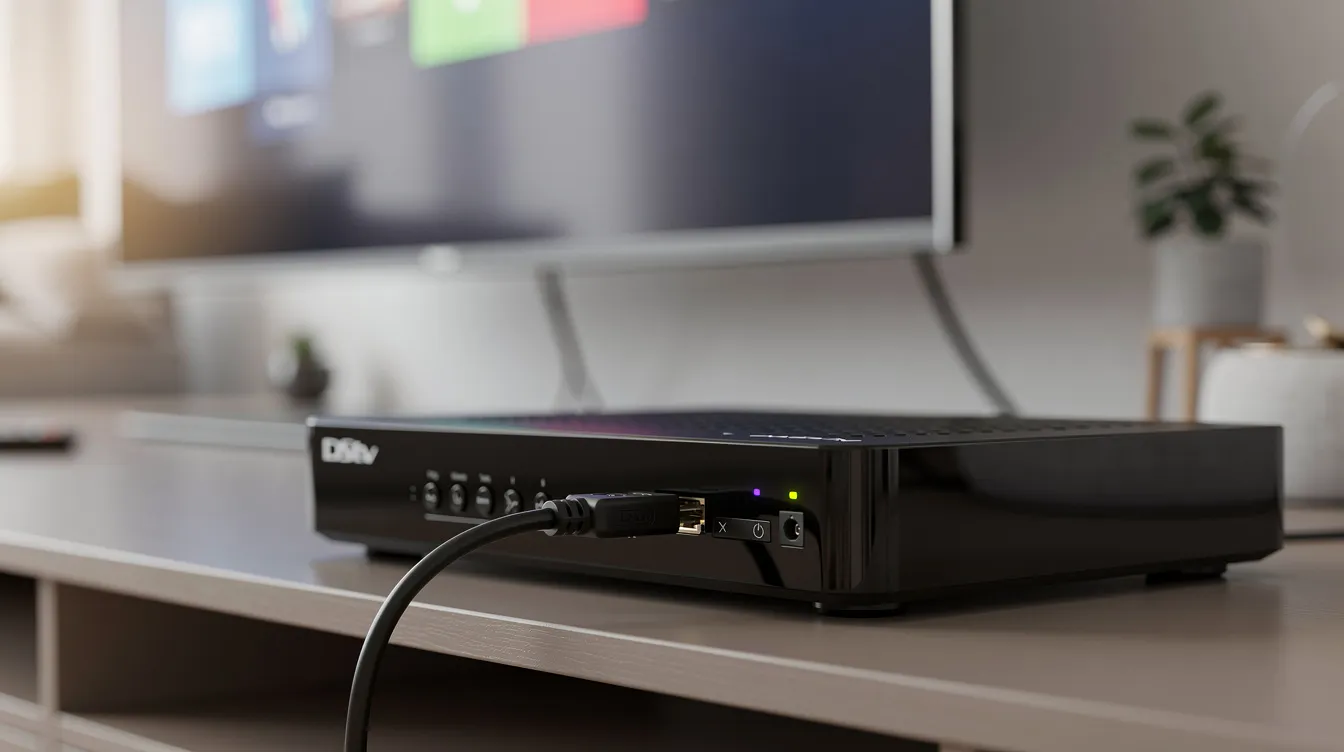
DStv Explora Decoder Installation
Installing a DStv Explora decoder involves more than simply connecting cables. The Explora’s advanced features—recording, time-shifting, and catch-up TV—demand precise signal configuration and proper Smart LNB setup.
Here is what our Explora installation process involves:
Smart LNB Requirement: Every new DStv Explora installation requires a smart LNB. This replaces older twin or quad LNB models and supports the decoder’s full feature set. A Smart LNB costs approximately R320 to R700 depending on whether it is supplied as hardware only or installed as part of a complete package. If your existing dish has an older single LNB or quad LNB, we upgrade it during installation.
Dish Assessment: We verify your satellite dish meets the 80cm standard requirement for Western Cape installations. Older brackets, rust, or misalignment are corrected before the decoder is connected. A 60cm dish is standard for most of South Africa, but 80cm is recommended for Explora and multi-room setups to ensure consistent signal quality.
Cable Infrastructure: We use RG6 coaxial cable for best signal quality, fitted with properly crimped F connector terminals and weatherproofed joins. Standard installations include approximately 20–25 meters of cable; additional cabling beyond this length incurs extra cost.
Decoder Configuration: Once physically connected, the Explora runs its initial setup wizard. We configure language and region and run a full channel scan. We then test PVR functions—recording, pause, and rewind—and verify catch-up TV access. If the internet is available, we connect to Wi-Fi for streaming features and firmware updates.
Demonstration and Training: Before completing the job, we walk you through decoder operation—how to record, access the 8-day TV guide, set parental control restrictions, use the MyDStv app for account management, and troubleshoot basic issues independently.
DStv Explora decoder installation costs in Cape Town suburbs typically range from R1,500 to R3,500, depending on the decoder purchase, extra points, cable length, and roof access complexity.
DStv Explora Ultra Installation
The Explora Ultra demands the highest standard of installation precision. Its streaming integration, 4K output, and advanced features require a strong satellite signal, reliable internet connectivity, and a properly configured Smart LNB.
Streaming Setup: We connect the Explora Ultra to your home Wi-Fi network (or run a wired Ethernet connection for more stable performance) and configure built-in apps including Netflix, Showmax, and YouTube. This transforms the decoder into a single device for both satellite TV and internet streaming—eliminating the need for separate streaming boxes.
Signal Requirements: The Ultra decoder is particularly sensitive to signal quality. We ensure signal strength readings exceed the critical thresholds needed for 4K content and simultaneous recording. Any cable losses, loose connections, or dish misalignment that might be tolerable on a basic HD decoder will cause noticeable problems on an Explora Ultra.
Professional Setup Requirements: Given the Ultra’s complexity, professional installation is strongly recommended. The decoder’s firmware must be updated, internet credentials configured, streaming accounts linked, and Smart LNB communication verified. Our technicians handle all of this as part of a complete Explora Ultra installation.
In Durbanville, for example, an Explora Ultra installation with a smart LNB inclusive costs approximately R1,650 to R2,400. In the George and Garden Route areas, the same installation runs approximately R2,800 to R3,600, reflecting additional equipment and routing complexity in coastal environments.
Smart LNB Installation and Configuration
The Smart LNB is a critical component in modern DStv installations. It replaces older Universal, twin, and quad LNB models with a single unit that supports multiple decoder connections, simplifies cabling, and enables features required by Explora and Explora Ultra decoders.
How It Works: A Smart LNB receives the full range of satellite frequencies from the dish and distributes them to connected decoders through a UniCable-type output. This means each decoder receives independent channel access without the need for separate cable runs from multiple LNB outputs. For Extra View setups linking two or three decoders, a Smart LNB plus an 80 cm dish is the recommended configuration by DStv.
When You Need One: As of 2026, Smart LNBs are essentially required for new Explora Ultra installations and for linking multiple decoders via Extra View. For a single-view standard DStv HD decoder, a smart LNB is optional but recommended—a universal LNB remains acceptable for basic single-decoder setups.
Installation Process: Our technicians mount the Smart LNB to the dish arm, connect the output ports to your decoder(s) via RG6 coaxial cable with properly fitted F connectors, and run system diagnostics to verify communication between the LNB and each decoder. We weatherproof all connections to prevent water ingress in cables, which can disrupt DStv signals over time.
Cost: Smart LNB hardware costs approximately R320 to R700 depending on the installer and whether labor is included. At Sat Digital, we provide transparent pricing that clearly separates hardware from labor so you know exactly what you are paying for.
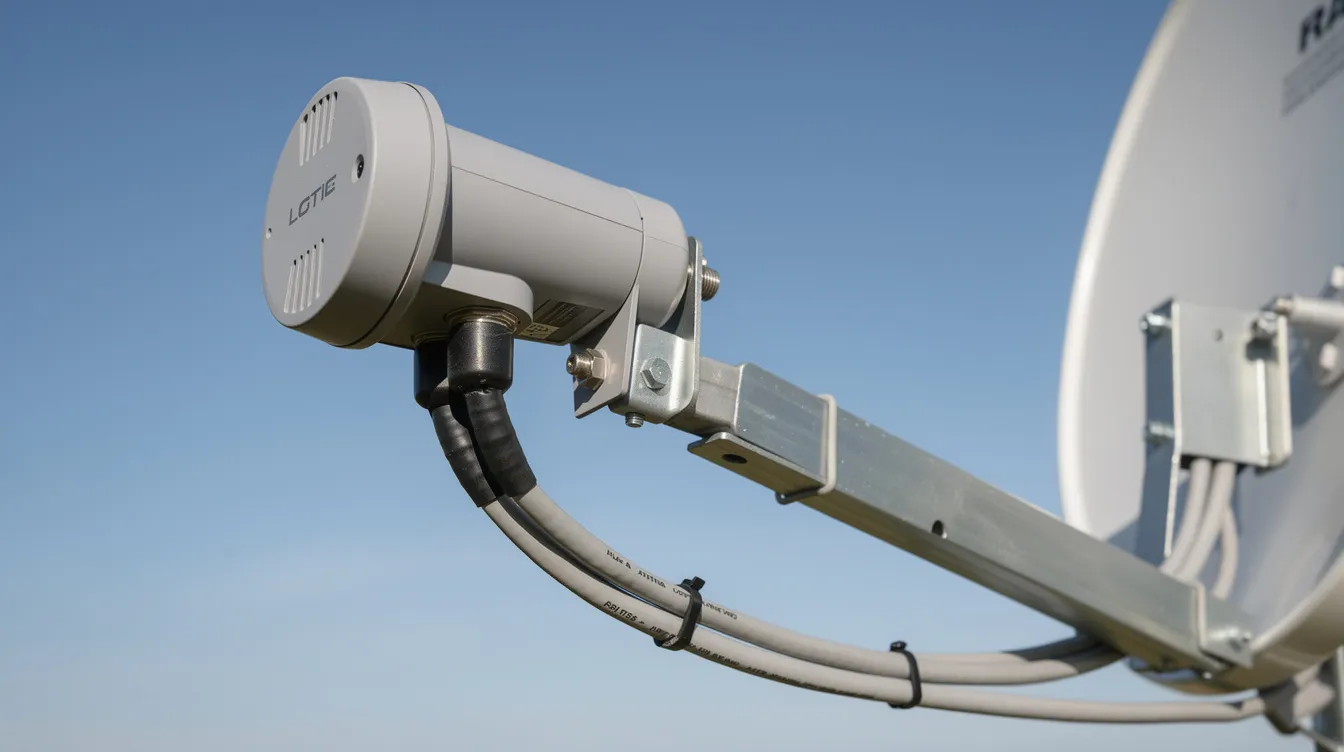
DStv Decoder Upgrade Services
Technology moves quickly, and older decoders lack the features, speed, and compatibility that modern DStv services demand. If you are still using a legacy decoder, upgrading to an Explora or Explora Ultra unlocks a significantly better entertainment experience.
What We Upgrade:
- Old single-view decoders to the latest DStv HD Decoder 10S with HD and Dolby Digital support
- Older Explora models to the Explora 3A or Explora Ultra with streaming integration and 4K capability
- Legacy LNBs (single, twin, or quad LNB) to Smart LNB for compatibility with current decoder models
- Replaced worn cabling and connectors to RG6 coaxial cable with new F connectors, preventing signal problems caused by physical wear
Why Upgrade?
Physical wear can cause erratic or nonexistent signal from a satellite setup. Older LNBs have a typical lifespan of two to four years depending on weather exposure, and degraded cables or corroded connectors gradually reduce signal quality until the system fails entirely. Upgrading proactively avoids emergency call-outs and service interruptions.
Decoder hardware costs are gradually decreasing thanks to promotions. Explora decoders currently retail around R1,300 to R1,700, while HD decoders cost approximately R400 to R799 when bundled with installation packages. In Crawford, Cape Town, reusing an existing dish and hardware can lower upgrade costs by 30–40%.
Performance Improvements: New decoders deliver faster menu navigation, improved recording reliability, better streaming performance, and access to the latest DStv features, including the expanded TV guide, enhanced parental control options, and integration with the MyDStv app.
Common DStv Decoder Installation Problems
Even with the best equipment, DStv decoder installations can encounter issues. Understanding these common problems helps you know when to call a professional DStv installer for assistance.
No Signal (E48-32 Error)
The E48-32 “No Signal” error commonly occurs during installation and is the most frequent issue reported by DStv users. It means the decoder receives no valid satellite signal. Common causes include:
- Poor Dish Alignment: Signal loss can occur due to poor satellite dish alignment or blocked line of sight. Even minor shifts from storms or wind can move the dish enough to lose lock on the satellite. Poor dish alignment causes most DStv signal loss issues.
- Loose F-connectors: Loose F-connectors can lead to signal loss. These connections must be tight and properly crimped.
- Damaged Coaxial Cables: Damaged coaxial cables can cause signal issues, especially if cables are old, bent sharply, or exposed to weather.
- Faulty or Aged LNB: LNBs degrade over time. A failing LNB produces a weak or intermittent signal that the decoder cannot process.
- Selecting the Wrong Satellite: Selecting the wrong satellite during installation can lead to signal issues. The dish must be aligned to 36° East for DStv services—any other satellite position will produce either no signal or incorrect channels.
Missing Channels
After installation, you may find some channels are missing from your lineup. This typically results from an incomplete channel scan, smartcard activation errors, or subscription package mismatches. Wiping the smartcard contact points can fix activation errors in many cases. If the issue persists, rerunning the channel scan or contacting DStv via the MyDStv app usually resolves it.
Configuration Errors
Common installation issues arise from signal misalignment and configuration errors. These include incorrect LNB type settings in the decoder menu, wrong cable port assignments for Extra View, or incomplete activation sequences. Professional installers verify every configuration parameter before completing the job.
Signal Strength Issues
Low signal strength—below 40%—typically indicates dish misalignment, an obstruction between the dish and satellite, or cable losses along the run. Electrical interference can affect DStv signal quality, particularly if cables run near power lines, fluorescent lights, or other electronic equipment. Heavy rain can also disrupt satellite signal transmission, though this is temporary and unavoidable.
Decoder Communication Problems
In Extra View setups, decoders must communicate with each other and the Smart LNB to share subscription data. Communication failures result in secondary decoders losing access to channels. This usually stems from incorrect cabling, faulty Smart LNB ports, or configuration errors in the Extra View linking process.
Water ingress in cables can disrupt DStv signals and is a particularly common problem in the Western Cape due to winter rainfall and coastal humidity. Professional installers weatherproof every connection point and use UV-resistant cable to prevent moisture penetration.
Why Professional Installation Matters
The difference between a DIY decoder setup and a professional DStv installation is significant—not just in immediate results, but in long-term reliability, warranty protection, and total cost of ownership.
Correct Configuration From Day One: Professional installation typically takes 1–3 hours, during which every component is tested, measured, and verified. DIY installation can take 3–6 hours for first-timers, and even then, subtle errors in dish alignment, LNB skew, or cable routing can cause intermittent problems that are difficult to diagnose later.
Better Signal Quality: Professional installers carry signal meters and know the exact azimuth, elevation, and skew settings required for your specific location. They use RG6 coaxial cable with properly terminated F connectors, ensure clean cable runs without sharp bends or excessive length, and weatherproof every outdoor connection.
Warranty and Accreditation: Installations through DStv-accredited installers include work demonstration, activation, and warranties—specifically, a 3-month workmanship warranty and a 12-month warranty on supplied equipment for Explora, Ultra, or HD decoder installations with installation vouchers. Non-accredited work voids these protections.
Reduced Future Faults: The corrosive coastal environment in the Western Cape demands specific hardware choices—stainless or marine-grade brackets, UV-resistant cables, and properly sealed connectors. Professional installers who work in the region daily understand these requirements and select materials accordingly.
Safety and Compliance: Roof access, ladder work, and mounting equipment at height carry real safety risks. Professional installers are insured, use proper safety equipment, and comply with body corporate rules and building regulations. This protects both you and the technician.
Cost Perspective: While DIY installation can save R800 to R1,500 in fees, the risk of incorrect setup, damaged equipment, voided warranties, and subsequent repair call-outs often makes professional installation the more economical choice over time. Professional installation costs range from R800 to R1,500 for standard setups—a modest investment for years of trouble-free viewing.
As MyBroadband and TechCentral frequently report, the increasing complexity of modern DStv systems—with smart LNBs, streaming integration, and multi-room configurations—makes professional installation more important than ever.
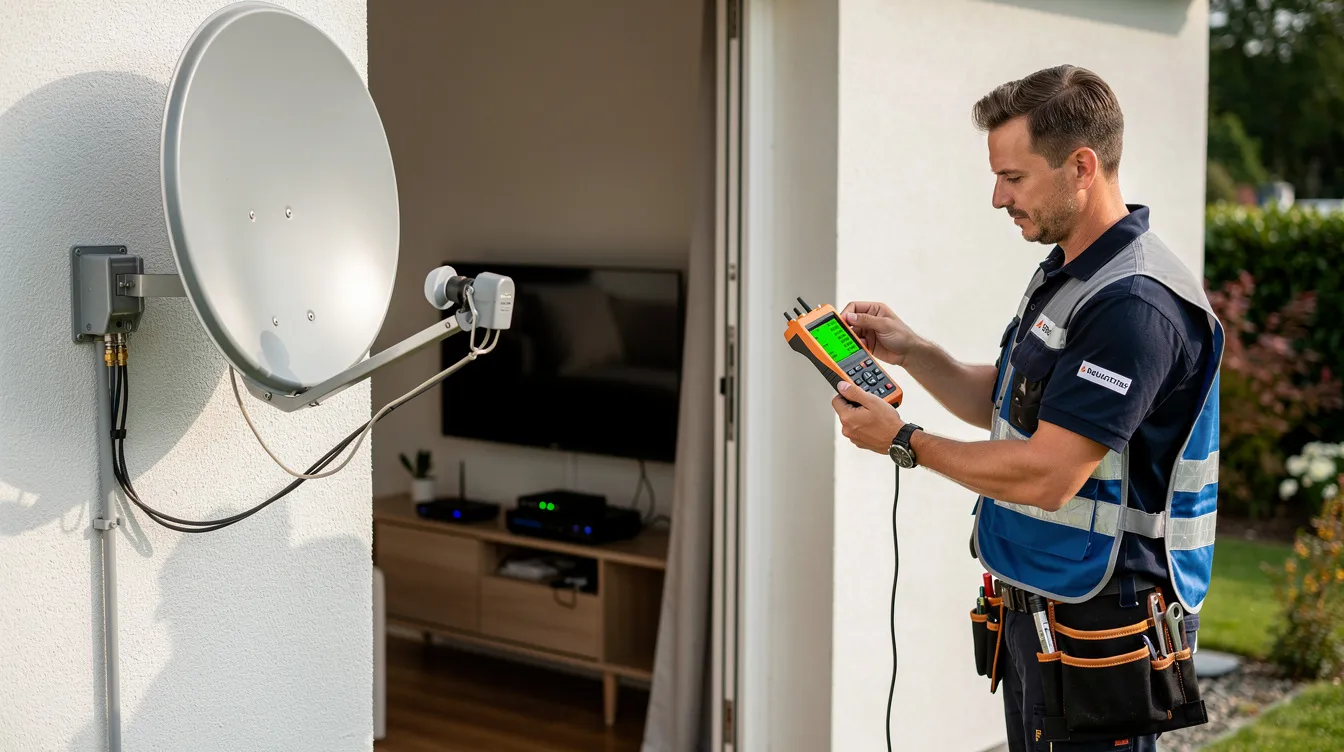
Same-Day DStv Decoder Installation
When your entertainment setup cannot wait, Sat Digital offers same-day DStv decoder installation across Cape Town and the Western Cape. Whether your decoder has failed, you have purchased a new unit, or you are moving into a new home and need immediate setup, we respond quickly.
Fast Response: Contact us by phone at 071 304 6955 or email info@satdigital.co.za, and we will schedule your installation for the same day wherever possible. Our technicians carry common decoder models, smart LNBs, mounting hardware, and RG6 cable on their vehicles, minimizing delay.
Flexible Scheduling: We understand that your time is valuable. We offer morning, afternoon, and weekend appointment windows to fit your schedule. A standard installation typically takes professionals 1–3 hours, so even a same-day appointment fits comfortably into your day.
Professional Support: Same-day does not mean rushed. Every same-day installation receives the same thorough site assessment, signal optimization, and system testing as a scheduled appointment. We complete the full installation process, including activation, channel scanning, feature testing, and customer training, before we leave.
Residential DStv Decoder Installation
Your home entertainment experience starts with proper decoder installation. We handle residential DStv installations across every property type in Cape Town and the Western Cape.
Houses: From compact single-story homes to large multi-level properties, we assess the optimal dish mounting location, route cables neatly along walls or through trunking, and configure your decoder for peak performance. Standard single-view HD installations in Cape Town suburbs typically cost between R850 and R1,500, excluding the decoder itself.
Apartments and Flats: Apartment installations often involve communal dish systems or body corporate restrictions. We work within these guidelines, connect your decoder to existing infrastructure where possible, or install a dedicated dish where permitted. In older multi-unit dwellings, communal dish setups may require specific LNB configurations that our technicians are experienced with.
Residential Estates: Gated estates and security complexes sometimes have specific aesthetic and technical requirements for dish mounting. We coordinate with estate management to ensure compliance while delivering optimal signal quality.
Entertainment Rooms: For dedicated viewing spaces, we provide premium decoder configuration—wall-mounted TVs, concealed cabling, Explora Ultra with streaming setup, and surround sound integration via HDMI and Dolby Digital output.
Commercial DStv Decoder Installation
Businesses depend on reliable DStv service to entertain guests, attract customers, and keep staff informed. Sat Digital provides commercial decoder installation solutions designed for the demands of professional environments.
Hotels and Guest Houses: Multi-room installations with Extra View or independent decoder-per-room setups. We install and configure multiple decoders efficiently, ensuring every room receives consistent signal and channel access. Smart LNB systems simplify the cabling for properties with numerous viewing points.
Restaurants and Sports Bars: Live sport drives customer traffic. We install commercial-grade decoder setups with multiple screens, configure decoders for simultaneous channel viewing, and ensure signal stability even during peak viewing events on SuperSport and other premium channels.
Offices and Waiting Areas: Professional decoder installations for reception areas, boardrooms, and staff break rooms. We configure the decoder with appropriate channel settings and parental control restrictions suitable for a business environment.
Retail and Public Spaces: Shopping centers, clinics, and showrooms benefit from professionally installed DStv systems that create an inviting atmosphere and keep visitors engaged.
Our commercial installation pricing is determined by the number of decoders, cable run distances, mounting requirements, and equipment requested. Contact us at 071 304 6955 for a detailed commercial quote.
Our Professional Decoder Installation Process
Every Sat digital DStv decoder installation follows a structured, four-step process that ensures reliable performance and complete customer satisfaction.
Step 1: Site Assessment and Planning
Our technician arrives and evaluates your existing satellite dish, bracket condition, and signal strength for decoder compatibility. We check the dish size (80cm is standard for most Western Cape installations), inspect for rust or damage, and assess Smart LNB requirements. Cable infrastructure is examined—if existing coaxial cable is in good condition, it can be reused to save costs. If not, we plan the most efficient route for new RG6 cable runs. Roof access, wall mounting options, and any obstructions affecting line of sight to the satellite are noted.
Step 2: Decoder Preparation and Setup
We unbox and inspect all decoder components, including the remote control, HDMI cable, power cable, and smart card. The decoder is positioned in a location that allows proper ventilation (avoiding enclosed cabinets that trap heat), easy access to the front panel and smartcard slot, and proximity to a power outlet and TV. We verify the smart card is correctly seated and that all accessories are present and undamaged.
Step 3: Professional Connection and Configuration
This is where technical precision matters most. We:
- Mount or adjust the satellite dish, ensuring correct azimuth (northeast-facing for DStv’s satellite at 36° East), elevation, and LNB skew
- Connect the Smart LNB outputs to the decoder(s) via RG6 coaxial cable with properly crimped F-connectors
- Weatherproof all outdoor connections to prevent water ingress
- Plug the HDMI cable from the decoder to your TV’s HDMI port for high-definition output (or connect via RCA cable to the AV input on older TVs)
- Connect the power cable to a suitable power outlet
- For Extra View setups, connect secondary decoders and establish Smart LNB communication between all units
- Set up Wi-Fi connectivity for Explora Ultra streaming features
- Run system diagnostics to verify signal strength, quality, and decoder-LNB communication
Step 4: Activation and Testing
We complete decoder activation through the on-screen wizard or via the MyDStv app. A full channel scan is performed to populate your channel list. We then systematically test the following:
- Multiple channels across HD and SD frequencies
- PVR recording, pause, and rewind functions (on Explora models)
- Catch-up TV and on-demand content access
- Streaming apps including Netflix and Showmax (on Explora Ultra)
- Signal strength and quality readings on the decoder’s diagnostic screen
- Extra View linking and cross-decoder communication (for multi-room setups)
Finally, we provide hands-on customer training—demonstrating how to switch channels, access the TV guide, set recordings, adjust parental control settings, manage your account through the MyDStv app, and perform basic troubleshooting. We do not leave until you are comfortable operating your new system.
Why Choose Sat Digital?
Choosing the right installer is just as important as choosing the right decoder. Here is why homeowners and businesses across Cape Town and the Western Cape trust Sat Digital for their DStv decoder installation needs.
Experienced Technicians: Our team has extensive hands-on experience installing every DStv decoder model—from basic HD units to complex Explora Ultra multi-room configurations. We understand the specific challenges of the Western Cape, including coastal corrosion, wind exposure, and the unique signal conditions of the region.
Professional Workmanship: Every installation meets or exceeds DStv’s accredited installation standards. We use quality components—RG6 cable, marine-grade brackets where needed, UV-resistant cable ties, and properly weatherproofed connections. Our work is neat, durable, and built to last.
Transparent Pricing: We provide detailed quotes that clearly list every item—dish, LNB, cable length, mounting hardware, labor, and decoder cost. No hidden fees, no surprises. Our installation costs are competitive with industry norms while reflecting the quality of materials and workmanship we deliver.
Reliable Support: Our relationship with customers does not end when the installation is complete. If you experience any issues after installation, we provide responsive support and honor our warranty commitments.
Fast Response Times: With same-day installation availability and flexible scheduling, we minimize the delay between your call and your fully operational DStv system.
Customer Satisfaction: From the initial phone call to the final demonstration, we prioritize clear communication, punctuality, and thorough work. Our customer success stories speak to the consistent quality of our service.
Comprehensive Service Range: Whether you need a simple HD decoder setup, an Explora Ultra installation with streaming, a multi-room Extra View configuration, or a commercial multi-screen system, we handle it all with the same level of professionalism.
Customer Success Stories
“I needed a complete DStv Explora installation for my new house in Durbanville. Sat Digital arrived on time, installed the dish, smart LNB, and decoder, and had everything working perfectly within two hours. The technician even showed me how to set up recordings and use the catch-up feature. Excellent service from start to finish.”
– Pieter V., Durbanville Homeowner
“Our guest house needed six decoders installed across different rooms with reliable signal on every TV. Sat Digital handled the entire project efficiently—smart LNB, proper cabling, and individual decoder configuration for each room. Our guests now enjoy crystal-clear DStv in every suite.”
– Anita K., Guest House Owner, Stellenbosch
“After struggling with signal problems and E48-32 errors for weeks with a previous installer, I called Sat Digital. They diagnosed the issue immediately—corroded F-connectors and a misaligned dish. They fixed everything and upgraded my LNB, and I have not had a single signal issue since. Highly recommended.”
– Thabo M., Cape Town Resident
Frequently Asked Questions About DStv Decoder Installation
How long does a DStv decoder installation take?
A standard single-view HD decoder installation typically takes 1–3 hours. This includes site assessment, dish alignment, cable routing, decoder connection, activation, channel scanning, and customer demonstration. Explora or multi-room Extra View installations take 2–3 hours due to additional configuration and testing. More complex setups involving roof work, long cable runs, or multiple decoders can take up to 3–4 hours. DIY installation can take 3–6 hours for first-timers and carries a higher risk of errors.
Which DStv decoder is best for my needs?
If you primarily watch live TV on a single TV and want an affordable solution, the DStv HD Decoder 10S is an excellent choice—it supports HD and Dolby Digital audio. If you want recording, pause, and rewind functionality plus catch-up TV, the DStv Explora 3 or 3A is the right fit. For the ultimate experience with built-in Netflix, streaming integration, and 4K content, the Explora Ultra is the best option. For multiple TVs, you need an Extra View compatible setup with an Explora as the primary decoder. As reported by BusinessTech, streaming-integrated decoders are becoming increasingly popular as viewers demand more flexibility.
Can you install Explora Ultra with streaming features?
Absolutely. Explora Ultra installation is one of our core services. We configure the decoder with your home Wi-Fi, set up streaming apps including Netflix and Showmax, update firmware, and test all streaming functionality. The Explora Ultra requires internet connectivity (Wi-Fi or wired), a smart LNB, and a strong satellite signal for full functionality. We ensure all these requirements are met during installation.
Do I need a smart LNB for a new decoder installation?
For a single-view DStv HD decoder, a smart LNB is optional—a universal LNB still works. However, for any new DStv Explora or Explora Ultra installation, a Smart LNB is required. It is also essential for Extra View multi-room configurations. As of 2026, Smart LNBs are the standard for new installations, and older twin or quad LNB models are being phased out. We supply and install Smart LNBs as part of our complete installation packages.
Can you upgrade my old decoder to Explora?
Yes. We handle the entire upgrade process—removing the old universal decoder, installing the new Explora or Explora Ultra, upgrading the LNB to Smart LNB if needed, replacing damaged cables or connectors, and reconfiguring your system. If your existing satellite dish and mounting are in good condition, we reuse them to save you money. In areas like Crawford, reusing existing hardware can reduce upgrade costs by 30–40%.
Can you configure Extra View for multi-room viewing?
We configure complete Extra View setups with up to three decoders on a single DStv subscription. This requires a Smart LNB, an 80cm satellite dish, and proper cabling between all decoder points. The primary decoder in a three-unit configuration must be an Explora. We handle the linking process, test cross-decoder communication, and verify that all units access your full channel lineup. Each additional TV point typically costs R250 to R500 depending on cable run distance and wall work required.
Why is my decoder showing “No Signal””No Signal” after installation?
The E48-32 “No Signal” error has several potential causes. The most common is poor satellite dish alignment—your dish must face northeast, aligned to 36° east. Other causes include loose F-connectors, damaged coaxial cable, a faulty LNB, water ingress at connection points, or selecting the wrong satellite during setup. As a quick diagnostic, check that the cable is securely connected to the SAT IN port, reboot the decoder by unplugging it for 30–60 seconds, and inspect for visible cable damage. If the error persists, contact us at 071 304 6955 for professional troubleshooting.
Can you install a new decoder on my existing satellite dish?
In most cases, yes. We assess your existing dish for size (80 cm recommended), structural integrity, bracket condition, and current alignment. If the dish is in good condition and properly positioned, we connect your new decoder to the existing infrastructure. If the LNB needs upgrading—for example, from a single LNB or quad LNB to a Smart LNB—we handle that as part of the installation. This approach saves you the cost of a new dish while ensuring optimal signal quality.
Do you offer same-day decoder installation?
Yes. We offer same-day DStv decoder installation across Cape Town and the Western Cape, subject to technician availability. Call us at 071 304 6955 as early as possible to secure a same-day appointment. Our technicians carry equipment on their vehicles to minimize delay and complete your installation promptly.
Why should I use a professional installer instead of DIY?
Professional installation ensures correct dish alignment, proper Smart LNB configuration, weatherproofed connections, and thorough system testing—all of which are difficult to achieve without specialized tools and training. Professional installation includes a 12-month warranty on equipment and protects your eligibility for DStv’s official support and installation vouchers. DIY installation risks voiding warranties, creating signal problems from improper alignment, and potentially damaging equipment. The installation costs of R800 to R1,500 for professional service are a worthwhile investment compared to the risk of repeated call-outs and equipment replacement.
What warranty do you provide on decoder installations?
Our installations include a 3-month workmanship warranty covering the quality of our installation work and a 12-month warranty on supplied equipment, including decoders, Smart LNBs, and associated hardware. These warranties are in line with DStv’s accredited installation standards. If any issue arises within the warranty period that is related to our installation, we return to fix it at no additional charge.
Can you install decoders for commercial properties?
Yes. We provide commercial DStv decoder installation for hotels, guest houses, restaurants, sports bars, offices, and retail spaces. Commercial installations often involve multiple decoders, extended cable runs, custom mounting solutions, and higher-grade equipment. We design systems that deliver reliable performance across all viewing points and can scale to accommodate future expansion. Contact us for a customized commercial quote.
Do you provide decoder configuration and setup training?
Every installation includes comprehensive training. We demonstrate how to navigate channels, access the TV guide, set recordings (on Explora models), configure parental control settings, connect to streaming services (on Explora Ultra), and use the MyDStv app to manage your account, make payment, and troubleshoot common issues. We ensure you are confident using every feature before we complete the job.
What happens if my decoder stops working after installation?
Contact us immediately at 071 304 6955. If the issue is related to our installation, we will return to diagnose and fix the problem under our warranty. Common post-installation issues include loose cable connections from vibration or settling, LNB degradation from weather exposure, or smartcard errors. Our call-out and repair visits for signal faults typically range from R400 to R800, depending on the issue severity. Many issues can be diagnosed remotely over the phone, saving you a call-out fee entirely.
Can you install multiple decoders in one property?
Yes. We install multi-decoder systems using Extra View, connecting up to three decoders on a single subscription. For properties requiring more than three independent viewing points—such as hotels or guest houses—we configure independent decoder subscriptions or communal distribution systems. Every multi-decoder installation includes a Smart LNB, proper cable distribution, and system testing across all connected points.
Get Professional DStv Decoder Installation Today
Your DStv viewing experience is only as good as the installation behind it. From the satellite dish on your roof to the decoder connected to your TV, every component must work in harmony to deliver the clear, reliable entertainment you deserve.
At Sat Digital, we bring the expertise, equipment, and attention to detail needed to get your DStv decoder installation right the first time. Whether you need a simple HD setup, a feature-rich Explora configuration, an advanced Explora Ultra with streaming, or a multi-room Extra View system for your home or business—we deliver professional results backed by solid warranties and responsive support.
Do not settle for guesswork, signal problems, and error codes. Choose professional installation that lasts.
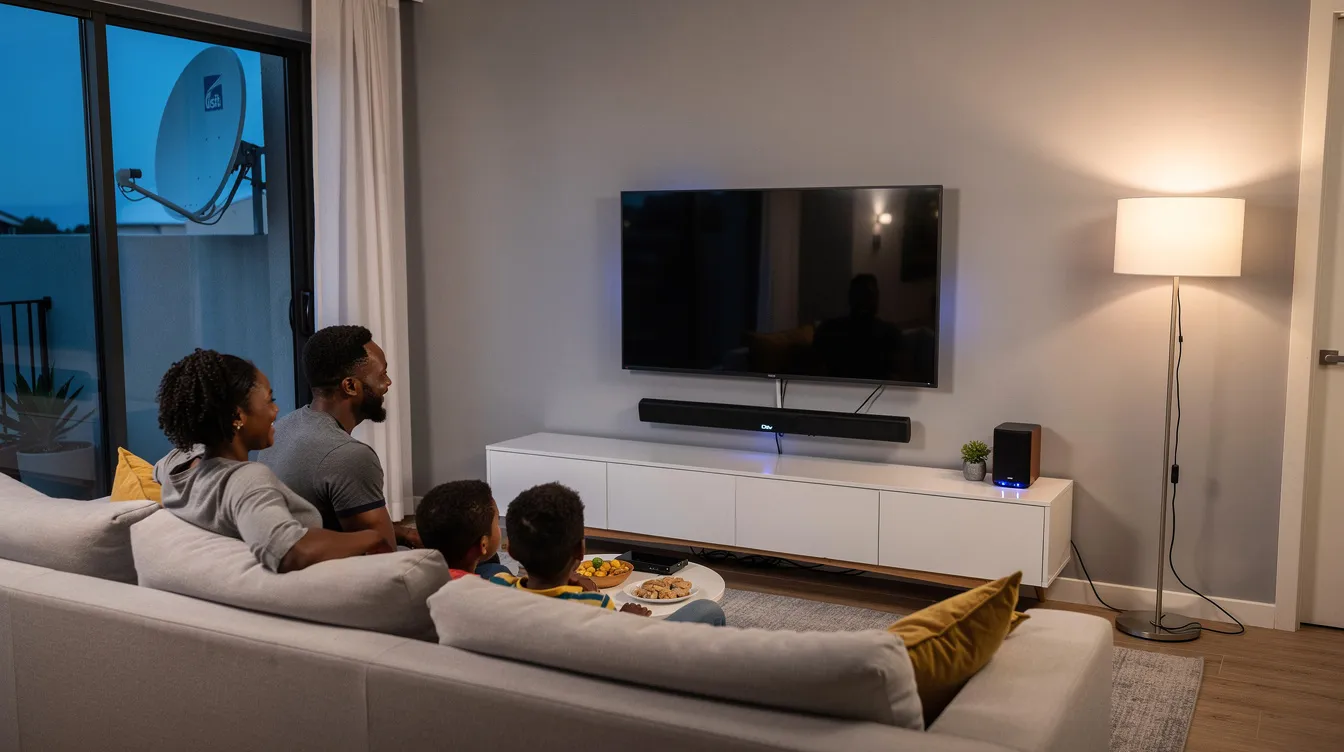
Ready to get started? Contact Sat Digital today.
📞 Phone: 071 304 6955 📧 Email: info@satdigital.co.za 🌐 Website: www.satdigital.co.za
We serve Cape Town, Durbanville, Crawford, Century City, Stellenbosch, George, the Garden Route, and communities throughout the Western Cape. Call now to book your professional DStv decoder installation—same-day appointments available.