Fixing DStv Error E48-32: Fast and Effective Solutions for No Signal Issue
Is your DStv showing the frustrating E48-32 error with no signal? Get fast, reliable repairs and professional installation from Sat Digital in Cape Town. Call 071 304 6955 today!
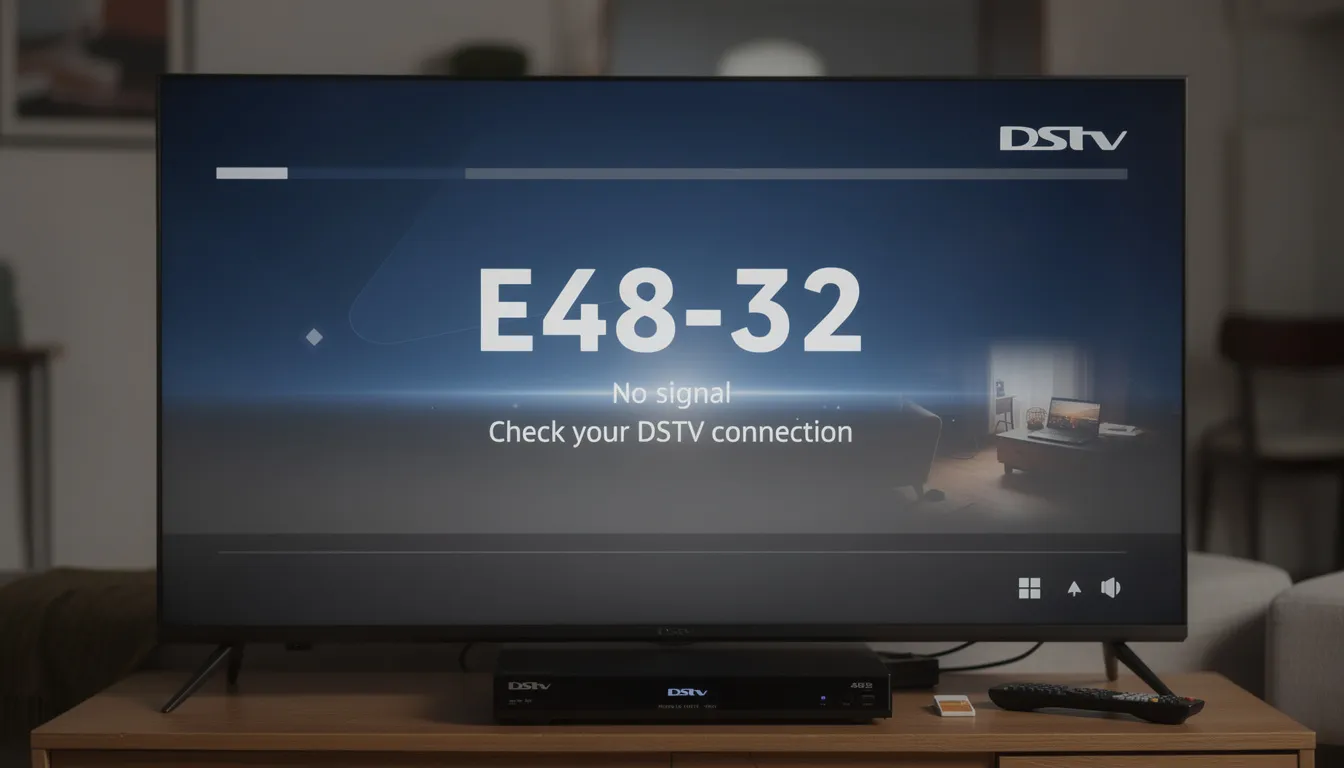
What Exactly is the DStv E48-32 Error No Signal?
If you’re seeing the frustrating E48-32 error message along with a No Signal warning on your DStv decoder, it means your decoder has lost connection with the satellite signal. This error code E48-32, or error E48 32, is an automatically generated message by the system when signal is lost. This error can occur unexpectedly, causing disappointment and interrupting your entertainment experience.
In essence, the E48-32 error code signals that your DStv decoder is not receiving any satellite signal. This could be due to many factors, but fortunately, with the right guidance, you can quickly identify and fix the problem. The DStv error E48-32 is commonly caused by severe weather, loose cable connections, dish misalignment, or a faulty LNB. Obstructions blocking the dish’s view, such as trees or buildings, can also cause signal loss by interfering with the dish’s ability to receive a clear signal from the satellite.
Why Does the E48-32 No Signal Error Occur? The Underlying Causes Explained
To effectively fix the E48-32 error, it’s important to understand its root causes. The E48-32 error is a common DStv signal problem and signal problem that can be caused by several factors. Below are the most common reasons why your DStv decoder might display the No Signal error:
2.1. Misaligned or Obstructed Satellite Dish
If your satellite dish is not correctly positioned, it may lose its line of sight to the satellite. Proper dish alignment is crucial for optimal signal reception. Obstructions such as trees or buildings can block the dish’s view of the satellite, causing signal loss.
2.2. Cable and Connection Issues
Check the coaxial cable running from your dish to the decoder for any visible damage. Damaged cables, loose or damaged cables, or a faulty connection can disrupt the signal and trigger the E48-32 error.
2.3. LNB Malfunction
A faulty LNB (Low Noise Block Downconverter) can prevent your dish from receiving signals properly. Issues with the LNB are a common cause of signal loss.
2.4. Decoder or Tuner Faults
Internal faults in the decoder or tuner can also result in the E48-32 error.
2.5. Severe Weather Conditions
Heavy rain, thick cloud cover, or storms can temporarily block the satellite signal, leading to a loss of signal known as rain fade.
Users can improve their DStv signal by ensuring the satellite dish is properly aligned and has a clear line of sight to the satellite.
1. Dish Misalignment or Movement
Over time, or due to weather conditions such as strong winds or heavy rainstorms, your satellite dish might get knocked off its precise alignment. Consequently, the decoder can no longer lock onto the satellite’s signal. Even the slightest tilt or shift can cause signal disruption.
2. Damaged or Loose Satellite Cables
The cables running from your dish’s LNB to the decoder are vulnerable to wear and tear, rodents chewing through them, or simple loosening. Therefore, any cable damage or loose connections can easily lead to signal loss.
3. Faulty or Damaged LNB (Low Noise Block)
Since the LNB on your satellite dish captures the signal, if it becomes damaged or malfunctions, your decoder will not get any input, resulting in an E48-32 error.
4. Decoder or Smart Card Issues
Sometimes, the problem lies inside your decoder or the smart card. Software glitches, outdated firmware, or a faulty smart card can cause signal errors.
5. Temporary Weather Interference
Heavy rain, storms, or even thick cloud cover can weaken satellite signals. Although this is usually temporary, it can still cause the E48-32 error.
DStv Decoder and Signal Strength: How They Affect the E48-32 Error
Your DStv decoder and the strength of your DStv signal are at the heart of a seamless viewing experience. When either of these components isn’t functioning correctly, you’re far more likely to encounter frustrating issues like the E48-32 error. Understanding how these elements work together can help you prevent signal problems and keep your entertainment uninterrupted.
The DStv decoder acts as the brain of your satellite TV system, receiving and decoding the signal sent from your satellite dish. For optimal DStv signal reception, your satellite dish must be properly aligned, all cable connections must be secure and undamaged, and your decoder settings must be correctly configured. Even a minor issue—such as a loose or damaged coaxial cable, a misaligned dish, or a faulty LNB (Low Noise Block Downconverter)—can result in signal loss and trigger the E48-32 error message.
Weather conditions also play a significant role. Heavy rain, strong winds, or other severe weather can temporarily disrupt the satellite signal, leading to poor reception or a complete signal error. While you can’t control the weather, you can minimize the risk of signal issues by regularly inspecting your dish and cables, and by ensuring your decoder is functioning correctly.
How to Fix the E48-32 No Signal Error Quickly and Easily
Fortunately, many of the causes listed above can be checked and fixed without needing expensive repairs. Before you begin, make sure all cables are properly connected and check for any visible damage to the coaxial cable, as loose or damaged connections can cause the DStv error E48-32. Here’s a step-by-step troubleshooting guide you can follow to restore your DStv signal:
Step 1: Check the Satellite Dish Alignment
Ensure your satellite dish is facing the correct direction and is not obstructed by trees, buildings, or debris. If you have recently moved the dish or experienced strong winds, realignment may be necessary. Use the installation wizard in your decoder’s menu to guide you through the setup process, and make sure to select the correct LNB type for your installation.
Step 2: Inspect Cables and Connections
Check all cables running from the dish to your decoder. Inspect the F-connector at both ends for rust, water ingress, or looseness, and ensure it is properly connected. Replace any damaged or corroded connectors. All cables and connectors should be securely and properly connected to avoid signal loss. Also, check the settings menu on your decoder to monitor signal strength and confirm optimal reception.
Step 3: Reboot the Decoder
Sometimes, a simple reboot can resolve the E48-32 error. Use the power button or switch to turn off your decoder, wait 10-30 seconds, and then turn it back on to refresh the connection. This can help clear temporary glitches. If the problem persists after rebooting, further troubleshooting or professional assistance may be required.
Step 4: Check the LNB
A faulty LNB (Low Noise Block) can cause signal issues. If you suspect the LNB is the problem and the above steps haven’t worked, a professional can test and replace it if the problem persists.
Step 1: Inspect and Realign Your Satellite Dish
First and foremost, check if your satellite dish has been moved or tilted. Even a slight change in angle can interrupt signal reception. Use a signal meter or mobile app to ensure the dish points directly to the satellite.
Step 2: Check All Cable Connections Thoroughly
Next, inspect every cable and connector from the dish to your decoder. Look for any signs of wear, corrosion, or looseness. Secure or replace cables where necessary.
Step 3: Power Cycle Your Decoder
Sometimes, simply restarting your decoder can resolve temporary glitches. Unplug it from the power outlet, wait about 30 seconds, then plug it back in and let it reboot fully.
Step 4: Test or Replace the LNB
If signal loss persists, your LNB may be faulty. You may need a professional installer to test it with proper tools and replace it if needed.
Step 5: Update Your Decoder Software
Keeping your decoder’s software updated is essential. Navigate to the decoder settings and perform a software update to fix bugs that may cause signal errors.
Step 6: Check Your Smart Card
Ensure your smart card is correctly inserted and active. If there’s any doubt, contact DStv customer support for assistance.
When Should You Call a Professional DStv Installer?
If you have exhausted all basic troubleshooting steps and your DStv decoder still shows the E48-32 No Signal error, it’s time to seek expert help. For complex signal issues, hiring an accredited installer or accredited DStv installers is highly recommended.
Professional installers have specialized equipment and years of experience to:
-
Ensure the satellite dish is properly aligned for optimal signal reception
-
Use proper equipment to accurately measure signal strength, which is crucial for effective DStv installation
-
Diagnose and replace faulty cables, LNBs, and decoders, helping to avoid common causes of signal loss
-
Perform regular maintenance to identify and fix potential issues before they cause signal problems
-
Handle various installation challenges, ensuring a reliable and safe setup
-
Enhance the longevity of your DStv system and reduce the need for frequent repairs through proper installation
-
Provide guaranteed solutions so you never miss your favorite shows
-
Recommend hiring experienced technicians for complex DStv signal issues
Why Choose Sat Digital for Your DStv Installation and Repairs?
At Sat Digital, we pride ourselves on being Cape Town’s most trusted DStv installer and repair service. Our highly skilled technicians ensure your system works flawlessly, giving you peace of mind and uninterrupted entertainment.
-
Rapid same-day service to fix your problems quickly
-
Affordable, transparent pricing with no hidden costs
-
Certified and fully trained technicians using advanced tools
-
Comprehensive solutions, including installation, repairs, and relocations
Call us now on for fast and reliable assistance.
Preventing Future E48-32 Errors: Proactive Tips for a Reliable DStv Experience
A smooth, uninterrupted DStv experience starts with a little proactive care. By taking a few simple steps to maintain your satellite dish, DStv decoder, and cable connections, you can greatly reduce the chances of running into the dreaded E48-32 error or other signal issues. Here’s how you can keep your DStv signal reception strong and reliable all year round:
-
Regularly Inspect Your Satellite DishMake it a habit to visually inspect your satellite dish for any signs of rust, damage, or misalignment. Ensure the dish is tightly secured and hasn’t shifted due to strong winds or severe weather conditions. A properly aligned dish is crucial for optimal DStv signal reception.
-
Check All Cable ConnectionsExamine every cable connection between your satellite dish, DStv decoder, and TV. Look for loose connections, worn-out or damaged coaxial cables, and make sure all F connectors are tightly secured. Quality cable connections help prevent signal loss and the E48-32 error.
-
Monitor Signal Strength with Your DStv Remote ControlUse your DStv remote to access the decoder menu and check your signal strength under “Settings” or “Signal Settings.” Keeping an eye on signal strength allows you to catch potential problems early and fix signal strength issues before they disrupt your viewing.
-
Keep Your Equipment CleanDust and debris can affect both your DStv decoder and satellite dish. Wipe them down regularly to ensure they’re functioning correctly and to avoid poor reception caused by dirt buildup.
-
Be Mindful of Weather ConditionsAvoid making adjustments or installations during heavy rain, strong winds, or other severe weather conditions. Bad weather can not only affect your DStv signal but also make it difficult to align your dish properly.
-
Hire a Professional DStv InstallerIf you’re unsure about installation or adjustments, it’s always best to call a professional DStv installer. Experienced technicians can ensure your satellite dish and decoder are set up for the best possible signal reception and can quickly resolve any signal problems.
-
Stay Updated with Decoder FirmwareVisit the DStv website regularly to check for firmware updates for your decoder. Installing the latest updates can fix bugs, improve performance, and help prevent signal errors like E48-32.
-
Secure Your Wall PlugMake sure your DStv decoder is plugged into a stable wall socket and that the plug is firmly in place. A loose wall plug can cause power interruptions and lead to signal loss or error messages.
-
Trim Trees and Remove ObstructionsRegularly check for trees, branches, or other objects that might block your satellite dish’s view of the sky. Trimming back obstructions helps maintain a clear line of sight to the satellite and prevents signal issues.
-
Contact DStv Support When NeededIf you continue to experience E48-32 errors or other signal problems, don’t hesitate to contact DStv support or a trusted DStv installer. Professional help can quickly identify and resolve issues, ensuring your DStv system is always functioning correctly.
By following these proactive tips, you’ll minimize the risk of E48-32 errors and enjoy uninterrupted access to your favorite DStv channels. Remember, regular checks on your satellite settings, signal strength, and cable connections are key to a reliable DStv experience. And if you ever need expert advice or hands-on help, Sat Digital is just a call away to keep your signal strong and your viewing hassle-free.
Frequently Asked Questions (FAQs) About the E48-32 Error
Q1: Can weather cause my DStv to show the E48-32 error?
Absolutely! Heavy rain or storms can temporarily disrupt satellite signals, but the issue usually resolves once the weather clears.
Q2: How long does it take to fix the E48-32 error?
Minor issues like cable reconnection or decoder reset can take minutes. More complex problems, such as dish realignment or LNB replacement, may require professional service within the same day.
Q3: Is the E48-32 error related to my subscription?
No. The E48-32 error strictly relates to signal reception issues, not your DStv subscription status.
Q4: Can I realign the dish myself?
While possible, realigning the dish requires precision tools. It’s safer and more effective to hire a professional installer.
Helpful Links and Resources
-
Visit DStv Official Website for software updates and account management
-
Check MultiChoice Support for decoder and smart card troubleshooting
-
Discover more about our Sat Digital Services for expert DStv installation and repairs
Conclusion: Don’t Let the E48-32 Error Ruin Your Viewing Experience
The E48-32 No Signal error can be annoying, but with the right approach, it’s often easy to resolve. Whether through simple DIY checks or professional installation support, your DStv can be back up and running smoothly in no time.
Above all, remember that is just a call away. Reach out to us on 071 304 6955 or email for trusted, efficient, and affordable DStv repair services in Cape Town.