DStv Installation Parklands: Professional Services
Expert DStv Installation and Repair Services in Parklands
Get reliable DStv installation in Parklands from accredited technicians who understand local conditions and deliver optimal signal quality every time. Sat Digital offers affordable dstv installation and is recognized among the top dstv installers Parklands has to offer. Our dstv service covers professional installation, repair, and upgrade solutions tailored for Parklands residents and businesses, ensuring expert support, quick response, and customer satisfaction. Our services are available for both residential clients and companies, including hotels and restaurants.
Schedule Your Installation Consultation Today!
Sat Digital also provides professional CCTV installation services for enhanced security in homes and businesses.
Why Choose Professional DStv Installation in Parklands
Professional DStv installation ensures your satellite system performs optimally from day one, eliminating the frustration of weak signals, pixelation, and error codes that plague DIY setups.
-
Guaranteed Signal Reception: Expert dish alignment using professional signal meters ensures 80-90% signal strength for uninterrupted viewing.
-
Weather-Resistant Installation: Parklands’ coastal location demands weatherproof connectors and corrosion-resistant brackets to withstand salt spray and strong winds.
-
Warranty Protection: Accredited DStv installers provide workmanship warranties and ensure your equipment warranty remains valid.
-
Compliance with Standards: All installations meet Multichoice specifications for dish positioning, cable quality, and decoder configuration.
-
Error Prevention: Professional technicians eliminate common issues like E48-32 no signal errors through precise alignment and quality components.
When you choose a professional DStv installation service in Parklands, you invest in long-term reliability rather than repeated repair costs. Accredited installers use genuine parts, proper tools, and proven techniques that keep your system running smoothly through Cape Town’s variable weather conditions.
Our DStv Installation Services in Parklands
Residential DStv Installations
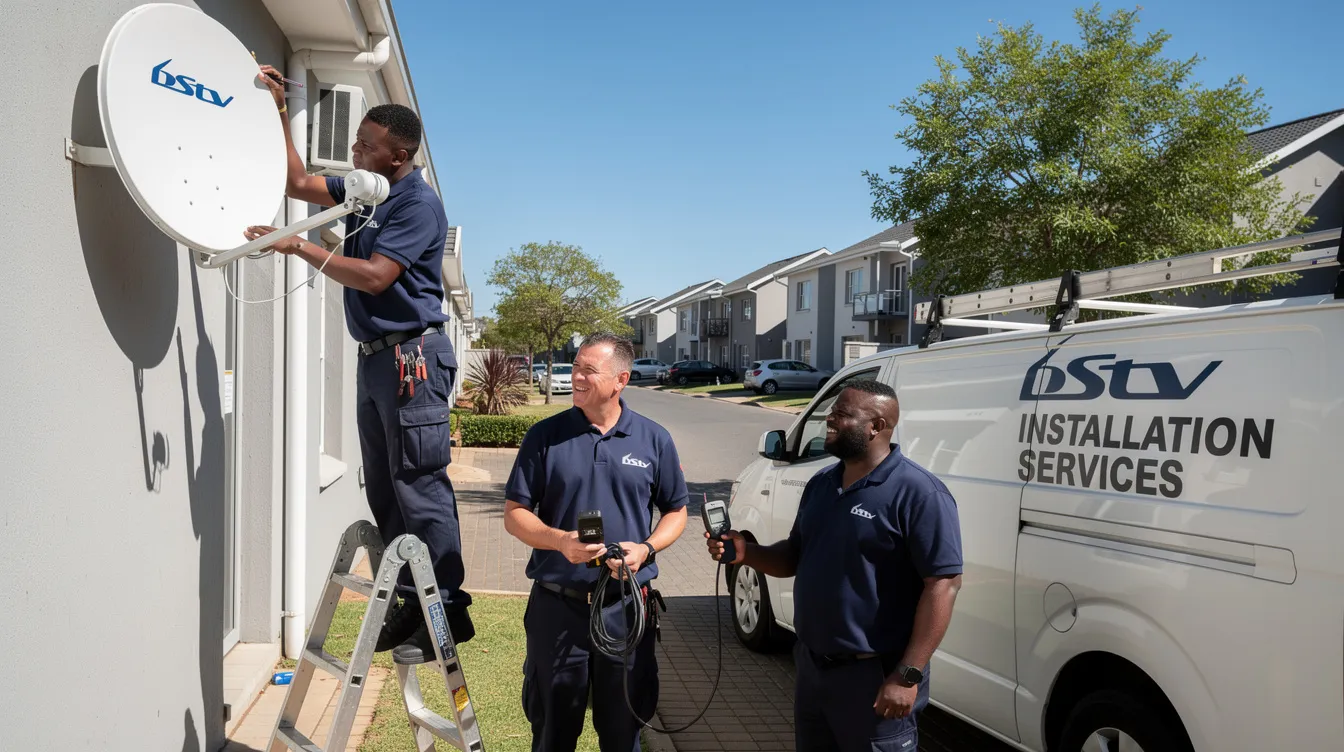
We provide complete DStv installation services for homes throughout Parklands, from single-view setups in apartments to comprehensive Extra View systems for larger properties. Whether you need a new installation, decoder upgrading, or signal repairs, our experienced technicians deliver quality workmanship tailored to your home’s requirements.
Commercial DStv Installations
Transform your business premises with professional communal systems designed for hotels, guesthouses, restaurants, and commercial properties. We install robust multi-decoder setups with proper signal distribution, ensuring reliable entertainment for your guests and customers across multiple viewing points.
Top 10 DStv Services We Provide in Parklands
-
Standard DStv Dish Installation: Complete single view setup with 80cm satellite dish, universal LNB, and decoder configuration
-
Extra View Installation: Multi-room setups connecting multiple TVs under one subscription
-
Explora PVR Installation: HD PVR decoder setup with Smart LNB for recording and streaming capabilities
-
Signal Troubleshooting: Correcting faulty signal issues and dish realignment for best reception
-
Decoder Upgrades: Upgrading from older models to HD decoders with full system optimisation
-
LNB Replacement: Replacing damaged or outdated LNBs including Smart LNB installations
-
TV Wall Mounting: Professional mounting with integrated cabling and DStv connection
-
Communal System Installation: Multi-point distribution systems for complexes and commercial properties
-
Openview HD Installation: Alternative satellite setup using existing or new dish installation
-
Emergency Repair Services: Same-day response for signal loss and decoder repairs
-
Fine Tuning and Moving Dishes: Adjusting and repositioning satellite dishes for optimal signal quality
-
System Upgrades: Upgrade your DStv system, including decoders and dish alignment, for improved performance
-
CCTV Installation: Professional CCTV installation for enhanced security in homes and businesses
-
Projector Installation: Setup and integration for home and business projector systems
DStv signal loss can occur due to bad weather or faulty connections. Common error codes include E48-32 (no signal) and E30 (subscription status). To troubleshoot a DStv signal issue, users should check their connection cables, reboot their decoder, and inspect the satellite dish and LNB.
Our DStv Installation Process in Parklands
Step 1: Site Assessment and Signal Survey
Our technicians evaluate your property to determine optimal dish positioning for strongest signal reception. We check for obstructions like trees and buildings, assess mounting options (roof versus wall), and verify compliance with body-corporate rules common in Parklands townhouses and complexes.
Step 2: Professional Installation Planning
We plan cable routes from dish to decoder locations, discuss additional TV points or Extra View setups, and provide a detailed breakdown of costs including equipment, cabling, and labour. You receive transparent pricing before any work begins.
Step 3: Expert Installation and Setup
Our accredited installers mount your satellite dish securely using marine-grade brackets suited to Parklands’ coastal conditions. We precisely adjust elevation (approximately 37-39° for Western Cape), azimuth, and skew for optimal alignment. All cable connections are weatherproofed and properly secured.
Step 4: Testing and Customer Handover
We test signal strength and quality at every connection point, verify all channels display correctly, and activate your subscription. You receive operating instructions, maintenance guidance, and our contact details for any future support needs.
Customer Testimonials from Parklands Clients
“The team installed our Extra View system perfectly—great signal on both TVs even during bad weather. Professional service from start to finish!” – Marcus D., Parklands Resident
“We needed DStv installed across our guesthouse quickly. They delivered a communal system that works flawlessly for all our rooms. Highly recommend their commercial services.” – Thandi M., Guesthouse Owner, Blouberg
Frequently Asked Questions about DStv Installation in Parklands
How much does DStv installation cost in Parklands?
Basic single-view installations typically range from R500 to R1,500, including dish, universal LNB, standard cabling, and labour. Explora setups with Smart LNB or Extra View configurations cost between R1,500 and R3,000 depending on cable length and number of TV points. We provide a quote today with no hidden fees—what we quote is what you pay.
How long does DStv installation take in Parklands?
Standard residential installations take 1-2 hours. More complex setups involving multiple decoders, long cable runs, or communal systems may require 3-4 hours. We schedule appointments that suit you and arrive on time with all necessary equipment.
Do you provide same-day DStv repairs in Parklands?
Yes, we offer emergency repair services for urgent signal problems and decoder issues. Same-day service is available for Parklands and surrounding areas including Sunningdale and Big Bay, subject to technician availability. Contact us for priority scheduling.
Can you fix DStv error codes like E48-32 in Parklands?
Absolutely. The E48-32 no signal error is one of the most common issues we resolve. Our technicians diagnose whether the problem stems from dish misalignment, faulty LNB, cable damage, or decoder configuration issues. Most signal repairs are completed within 1-2 hours, restoring your viewing quickly.
Contact Sat Digital for Parklands DStv Installation
Get Your DStv Installed Today!
Experience the best service from affordable DStv installers who prioritise customer satisfaction and quality workmanship. As accredited DStv installers, we guarantee installations that meet MultiChoice standards and protect your warranty.
Tel: 071 304 6955 Email: info@satdigital.co.za Service Areas: Parklands, Blouberg, Sunningdale, Big Bay, and greater Cape Town
Whether you need a new installation, decoder repairs, dish alignment, or signal solutions for your home or business, our professional technicians deliver reliable results at affordable pricing throughout the Western Cape.